Table of contents
What Is UX Design? The Short Answer
UX design, or user experience design, is the practice of designing the whole experience a person has while trying to get something done with a product, service or system. It covers understanding the user, planning how the product is organised and flows, testing it with real people, and improving it until people can reach their goal easily and with a good feeling.
UX stands for user experience. The word “experience” is the key. UX is not only about how a screen looks. It includes how easy the product is to find, how quickly someone completes a task, what happens when they make a mistake, and whether they would come back or recommend it.
The phrase was popularised by cognitive scientist Don Norman, who used “user experience architect” as a job title at Apple in the early 1990s to describe everything about a person’s interaction with a product, from the first impression to long-term use.
This page is a focused explainer. For the full process, tools, careers and a study plan, read our Ultimate Guide to UI/UX Design. For the visual side, read what is UI design, and for a side-by-side comparison see UI vs UX.
UX in Real Life: Buying a Train Ticket
You do not need an app to see UX at work. Think about getting a railway ticket for a trip from Coimbatore. Two people do the same task in two very different experiences.
Nothing about Experience B is about colour or fonts. It is about planning the journey so that each step has what the person needs. That is UX. The paint on the station wall, or the shade of the booking button, is UI.
The Five Parts of UX Design
UX work is a set of connected activities. Different teams label them differently, but these five appear in almost every project.
| Part | What it means | Typical output |
|---|---|---|
| Research | Learning who the users are, what they need and where they struggle | Interview notes, personas, journey maps |
| Structure | Organising content and features so people can find things | Sitemaps, navigation, user flows |
| Interaction | Deciding how the product responds to taps, clicks and input | Wireframes, prototypes, interaction notes |
| Content | Choosing the words and labels people see | Microcopy, error messages, headings |
| Testing | Watching real people use the product and fixing what goes wrong | Test findings, prioritised fixes |
What Makes an Experience Good?
Researcher Peter Morville described a useful checklist known as the user experience honeycomb. It names the qualities that a good product usually has. You can use it to review any website or app.
It solves a real problem or need.
People can complete tasks easily and without confusion.
Content and features are easy to locate, on the page and in search.
People trust it because it looks honest, accurate and professional.
People with different abilities and devices can use it.
It feels pleasant, and people want to use it again.
Fees hidden, no address, no phone, stock photos only.
Fees explained, address and phone visible, real student work shown.
The UX Design Process in Six Steps
- Understand the problem. Write down who the user is and what is going wrong. Avoid solutions at this stage.
- Research. Talk to people and watch them. Look at existing data.
- Define. Summarise what you learned as personas, needs and a clear problem statement.
- Ideate and structure. Sketch options, plan the content and map the user flow.
- Prototype. Build a clickable version quickly, from rough wireframes to detailed screens.
- Test and improve. Watch five or more people try tasks, note where they struggle, fix, and test again.
Read the complete UX design process for deeper detail on each step, including personas, journey maps and information architecture.
UX Research Methods at a Glance
| Method | Question it answers | Good for |
|---|---|---|
| User interviews | Why do people do this, and what frustrates them? | Early discovery |
| Surveys | How many people feel or do this? | Checking a pattern across more people |
| Observation or shadowing | What do people really do in their own setting? | Finding hidden problems |
| Card sorting | How do people group and name things? | Navigation and labels |
| Usability testing | Where do people get stuck with this design? | Before and after launch |
| Analytics | What are people doing in the product right now? | Spotting drop-offs |
UX vs UI vs Customer Experience
| UX design | UI design | Customer experience (CX) | |
|---|---|---|---|
| Scope | One product or service journey | The look and behaviour of screens | Every interaction with the company: ads, calls, delivery, support |
| Main question | Can people reach their goal easily? | Is it clear and consistent? | How does the customer feel about the brand overall? |
| Typical work | Research, flows, wireframes, testing | Layout, type, colour, components | Service design, support, brand and communication |
UX is part of CX, and UI is part of UX. They work together. To see the interface side in detail, read what is UI design, or compare both in UI vs UX.
How Do You Know UX Is Good?
Good UX is not a matter of opinion alone. Teams measure it with a few simple signals.
- Task success: out of the people who try a task, how many complete it?
- Time on task: how long does it take, compared with what is reasonable?
- Errors: how often do people make mistakes or need to go back?
- Satisfaction: short questionnaires after a test ask how easy or pleasant it felt.
- Business results: enquiries, bookings or sign-ups, tracked before and after a change.
Numbers show what is happening. Watching people shows why. Use both. Be careful with tiny samples: five test participants are excellent for finding problems, but they cannot give you reliable percentages.
Five Bad UX Patterns and Their Fixes
1. A form that asks too much
Ten required fields before any value is shown.
Name and phone only. Ask more later.
2. No confirmation after an action
(nothing happens, so the user taps again)
✓ Enquiry sent. We will call you soon.
3. Labels that only insiders understand
4. Hidden or buried key information
Tiny text in the footer of the last page.
Visible on every page.
5. Error messages that blame the user
“Invalid input.”
“Phone number needs 10 digits. Please check and try again.”
UX Roles You Will Hear About
Plans and runs studies to understand users, then explains the findings to the team.
Plans flows and wireframes, builds prototypes and runs usability tests.
Focuses on how the product responds to input, including states and motion.
Organises content and navigation so people can find things.
Writes and organises the words in the product, including labels and messages.
Covers UX and UI together, and often works closely with product and engineering teams.
In small companies one person often does several of these jobs. A beginner usually starts as a UI/UX designer, then specialises as they discover what they enjoy.
Try It Yourself: Map One Journey in 30 Minutes
- Choose a task you did recently online, such as booking a ticket, ordering food or enrolling in a class.
- Write down each step you took, in order, from the moment you decided to do it.
- Next to each step, note what you were thinking and how you felt.
- Mark the step where you felt most confused or annoyed.
- Write one change that would remove that problem.
- Ask a friend to do the same task and compare where you both struggled.
If you can describe a journey and find its worst moment, you are already practising UX. Add the map and your fix to your notes. It can become your first portfolio case study.
Is UX Design a Good Career?
Businesses of every size need people who understand users, so UX skills are used in software, e-commerce, education, healthcare and finance. Pay and opportunities depend on your skills, portfolio, city and employer, and no honest source can promise a fixed salary or a job.
- Common titles: UX designer, UI/UX designer, product designer, UX researcher, interaction designer.
- Where people work: product companies, agencies, startups, consulting firms and freelance.
- What helps most: a portfolio of case studies that show how you research, decide and test.
Read the UI UX career roadmap and is UI/UX a good career? for more.
Learn UX Design in Coimbatore
Fulcrum Creative School teaches UI/UX design in Gandhipuram, Coimbatore, covering research, wireframing, Figma, prototyping and testing, with portfolio projects built under trainer feedback. We have taught creative and technology skills since 2014. You can attend a free demo class and check the syllabus before you decide.
Placement support is offered until you are placed. It is support, not a guarantee, because results depend on your effort and portfolio.
Frequently Asked Questions About UI UX Design
What is UX design in simple words?
UX design is the design of the whole experience a person has when using a product or service, so that they can reach their goal easily and feel good about it.
What does UX stand for?
UX stands for user experience.
What is the difference between UX and UI?
UX is how the whole experience works, including research, flow and whether users succeed. UI is how the interface looks and responds. See our UI vs UX page for a table.
What does a UX designer do?
A UX designer researches users, plans how the product is organised and flows, creates wireframes and prototypes, and tests them with real people to improve the design.
What are examples of good UX?
A booking page that shows open times first, a form that asks only what it needs, a clear confirmation after payment, and an error message that explains how to fix the problem.
What are the stages of the UX design process?
Understand the problem, research, define, ideate and structure, prototype, and test. The cycle repeats as you learn.
What is user research?
User research is the study of people who use or may use a product, through interviews, surveys, observation and testing, so design decisions rest on evidence.
What is a wireframe?
A wireframe is a simple layout of a screen that shows structure and content without detailed styling. It helps teams agree on the idea quickly.
What is a user journey map?
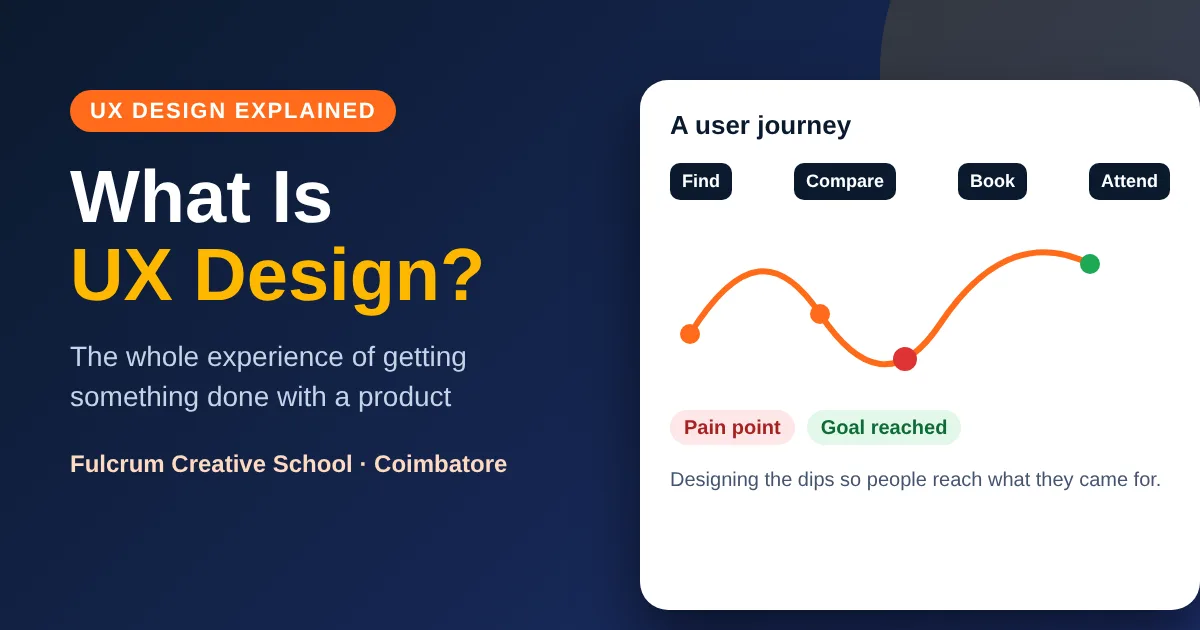
It is a diagram that shows the steps a person takes to reach a goal, what they think and feel at each step, and where problems occur.
What is a persona?
A persona is a fictional but research-based profile of a typical user, with goals and frustrations, used to keep the team focused on real needs.
What is information architecture?
It is the way content is organised and labelled, such as menus and categories, so people can find what they need.
What is usability testing?
Usability testing means asking real people to complete tasks with a design while you watch, so you can see where they struggle.
How many users are needed for a usability test?
Five people will usually reveal most of the major problems in a small test, and you can repeat the test after fixing them. Larger samples are needed if you want reliable percentages.
Is UX design only for websites and apps?
No. UX applies to any product or service, including hospitals, stores, forms and ticketing, because they all have users and journeys.
Do UX designers need to code?
No, but understanding how developers build things helps you design realistic solutions and communicate clearly.
Which tools do UX designers use?
Figma is the most common tool for wireframes and prototypes. FigJam or a whiteboard helps with workshops, and spreadsheets and notes help with research.
Can a beginner learn UX design?
Yes. Start with the basics of the process, practise by mapping real journeys and redesigning small screens, and build case studies as you learn.
How long does it take to learn UX design?
It depends on your time and background. Many learners need several months of regular practice to build a first portfolio. A structured course with feedback can speed things up.
Is UX design a good career?
Many businesses need UX skills, but pay and openings vary with your skills, portfolio, city and employer. No honest institute can guarantee a job or a salary.
Where can I learn UX design in Coimbatore?
Fulcrum Creative School teaches UI/UX design at Cross Cut Road, Gandhipuram, Coimbatore, with a free demo class. Call +91 93608 99780 to book.